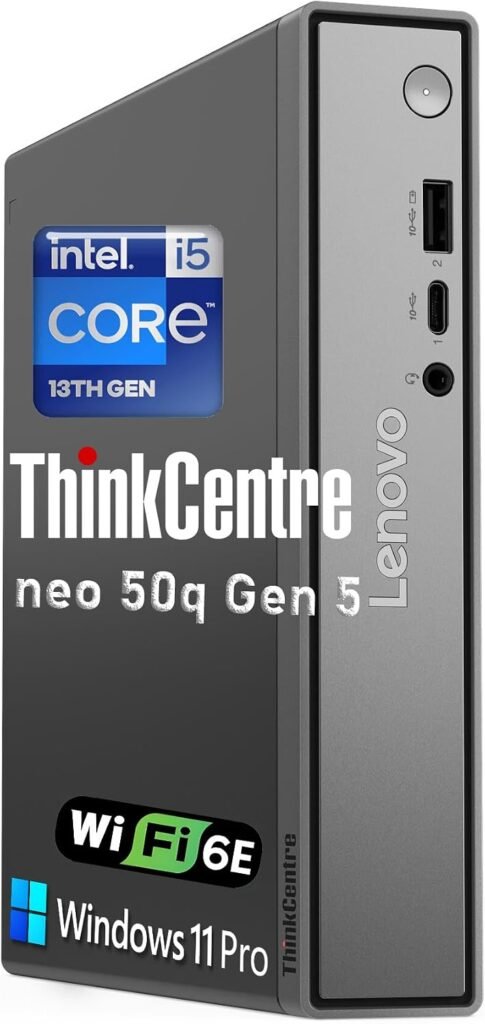
Lenovo ThinkCentre neo 50q Gen 5 Tiny Desktop
Best for: Office, remote work and small production setups
Rating: not yet added. We only show ratings from a named source.
Price: see current price on Amazon
Overview
A placeholder slot for a compact computer used for recording, encoding and streaming.
Key specifications
| Type | Tiny desktop · 1L mini PC |
|---|---|
| Connectivity | Wi-Fi 6, plus dual display support |
| Brand | Lenovo |
| Model | ThinkCentre neo 50q Gen 5 (per Amazon listing, see note above) |
| Form factor | Tiny (1L) |
| Dimensions | 179 x 182.9 x 36.5 mm with rubber feet (7.05 x 7.2 x 1.44 in) |
| Weight | Around 1.13 kg (2.49 lbs) |
| Memory slots | 2 x DDR5 SODIMM, dual-channel, up to 64GB |
| Expansion | 3 x M.2 slots (1 for WLAN, 2 for SSD) |
| Front ports | 1 x USB-C (USB 10Gbps), 1 x USB-A (USB 10Gbps), 1 x headphone/microphone combo jack |
| Rear ports | 2 x USB-A (USB 2.0), 2 x USB-A (USB 10Gbps), 1 x HDMI 2.1, 1 x DisplayPort 1.4b, 1 x Gigabit Ethernet, 1 x power connector |
| Displays | Up to 3 monitors with the optional punch-out port |
| Wi-Fi | Wi-Fi 6 (per Amazon listing) |
| Power supply | Varies by configuration (65W, 90W or 135W options) |
| Certifications | ENERGY STAR 9.0, TCO 10.0, EPEAT Gold |
| Operating system | Windows 11 Pro (per Amazon listing) |
| Memory | 16 GB DDR5 (per Amazon listing) |
| Storage | 512 GB PCIe SSD (per Amazon listing) |
What we like
- Very small 1-liter body that saves desk space
- 8-core Intel Core i5-13420H processor
- 16GB DDR5 memory and a 512GB PCIe SSD
- Windows 11 Pro included
- Wi-Fi 6 wireless
- Dual display support
- VESA-mountable behind a monitor for a clean all-in-one look
- Enterprise security features
- Marked as an Amazon's Choice product
What to consider
- Integrated graphics only, so it's not suited to heavy video editing or gaming
- Small body leaves little room for upgrades
- Port selection isn't listed on the Amazon page, so check it if you need capture cards or many USB devices
- Listing looks seller-configured, so check the exact specs and warranty
- Check the Amazon listing for the current price, as I couldn't find it
Who should buy it?
Office workers, students, remote workers and small studios that want a quiet, space-saving PC. It also suits a basic streaming or production desk that doesn't need a dedicated graphics card.
Who should avoid it?
Anyone doing 4K editing, 3D work, gaming or heavy multi-camera streaming. A desktop with a dedicated graphics card is the better fit.
Frequently asked questions
Do I need a powerful computer to podcast?
Audio-only recording is undemanding. Video streaming needs more capable hardware.
Laptop or desktop?
Desktops offer more ports and cooling; laptops offer portability.
Ready to compare current options? Amazon shows live pricing, availability and customer reviews.