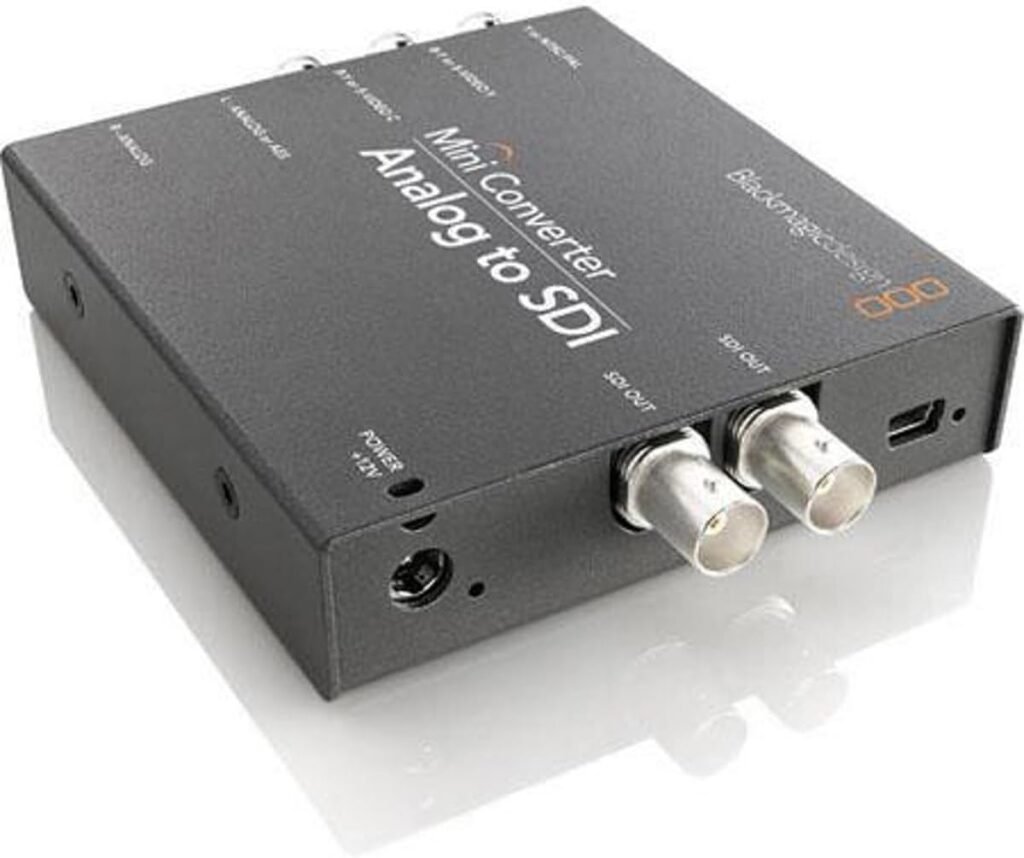
Blackmagic Design Mini Converter – Analog to SDI
Best for: Bringing analog gear into SDI workflows
Rating: not yet added. We only show ratings from a named source.
Price: see current price on Amazon
Overview
Key specifications
| Type | Mini converter · Analog to SDI |
|---|---|
| Connectivity | Analog video in, AES/EBU or analog audio in, SDI out |
| Conversion | Analog to SDI |
| Video inputs | Component (YUV), S-Video, composite (NTSC/PAL) |
| Audio inputs | Balanced AES/EBU or analog audio, 2 channels |
| SDI output | 3G-SDI, 2 x SDI video outputs |
| Format detection | Auto-detects the video input |
| Audio embedding | Yes, into the SDI output |
| Supply voltage | 12 V DC |
| Dimensions | 12.29 x 9.19 x 2.31 cm |
| Weight | 385.55 g |
| Model number | BM-CONVMAAS2 (001341) |
| Power supply | International power supply with socket adapters included |
| Operating temperature | 0 to 40 °C |
| Resolutions supported | To be verified |
| Frame rates supported | To be verified |
What we like
- Brings analog sources into an SDI workflow
- Accepts component, S-Video and composite video
- Embeds audio from balanced AES/EBU or analog inputs
- Two SDI video outputs
- Automatically detects the input video format
- Compact and lightweight, about 385 g
- International power supply included
- Good ratings across Amazon regions (about 4.0 to 4.6 out of 5)
What to consider
- Handles analog sources only, so it does not convert HDMI
- Priced above basic converters, at about £214, A$341 or S$291 on Amazon listings
- Needs its own 12 V power supply, as it isn't USB-powered
- Limited value if you have no analog gear to convert
- Check the Amazon listing for the current price, as it varies by region
Who should buy it?
Anyone with legacy analog gear to bring into a digital setup, such as VHS decks, Betacam SP, HDV cameras, set-top boxes or gaming consoles. It also suits broadcast and archive work that needs balanced audio embedded in the SDI signal.
Who should avoid it?
Anyone whose sources are all HDMI or SDI already. An HDMI to SDI converter is the better fit.
Frequently asked questions
What does a video converter do?
It changes one type of video signal into another so gear with different connectors can work together.
Do I need an SDI or an HDMI converter?
It depends on your devices. Use SDI to HDMI for sending SDI to a monitor, and HDMI to SDI for bringing an HDMI camera into an SDI system.
Why use SDI instead of HDMI?
SDI uses locking connectors and handles much longer cable runs, which is why professional setups favor it.
Does a converter carry audio too?
Many do, passing embedded audio with the video. Check the product specs to be sure.
Will a converter change my video quality?
A straight converter keeps the quality the same. A scaler changes resolution or frame rate, which can affect quality.
Can I convert 4K signals?
Yes, but only with a converter that supports your resolution and frame rate, such as 6G-SDI or 12G-SDI for 4K.
Do I need power for a converter?
Some run from USB or the signal, while others need an external power supply.
Ready to compare current options? Amazon shows live pricing, availability and customer reviews.