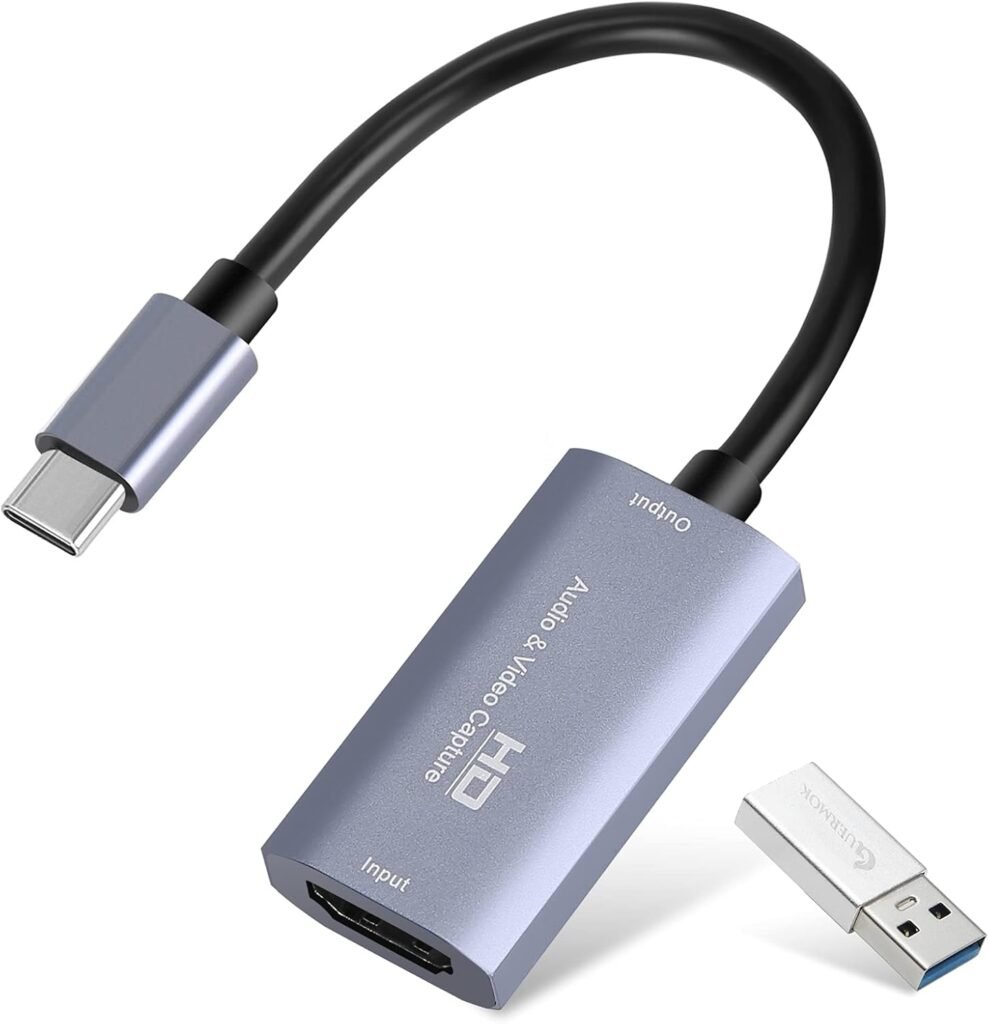
Guermok Video Capture Card, 4K USB3.0 HDMI to USB C, 1080P 60FPS & 2K 30FPS
Best for: Game streaming and HDMI camera capture
Rating: not yet added. We only show ratings from a named source.
Price: see current price on Amazon
Overview
A small plug-and-play capture card that sends HDMI video to a computer over USB 3.0, with a USB-C connector and a USB-A adapter. It accepts up to 4K at 30 Hz and captures at up to 1080p60, for streaming, recording and online meetings.
Key specifications
| Type | Capture card · HDMI to USB 3.0 |
|---|---|
| Connectivity | HDMI in, USB-C out with USB-A adapter |
| Conversion | HDMI to USB |
| Video input | HDMI, up to 4K at 30 Hz |
| Video output (capture) | Up to 1080p at 60 Hz (also 2K at 30 Hz) |
| Interface | USB 3.0, with Type-C connector |
| Adapter | USB-A adapter included |
| Included components | Capture card, installation guide, USB adapter |
| Weight | 30 g |
| Compatible systems | Windows, macOS (Linux listed on some pages) |
| Compatible devices | PC, Mac, game consoles, cameras, Meta Quest, Steam Deck |
| Compatible software | OBS, Zoom |
| Brand | Guermok |
What we like
- Accepts HDMI sources up to 4K at 30 Hz
- Captures up to 1080p60 over USB 3.0
- Plug and play, with no extra driver or power supply
- Very light, at 30 g
- USB-C connector plus USB-A adapter in the box
- Works with consoles, cameras and computers
- Compatible with OBS and Zoom
- Rated 4.3 out of 5 from about 2,700 ratings
What to consider
- Output is limited to 1080p60, even though the input accepts 4K
- No HDMI loop-through stated, so you may need a splitter to see the game on a second screen
- The listing has changed over time, and compatibility lists differ between regions
- Dimensions and supported formats aren't stated
- Check the Amazon listing for the current price (SAR 110 on the Saudi page, but it varies by region)
Who should buy it?
Streamers, gamers and teachers who want an inexpensive way to capture HDMI video from a console, camera or laptop to a computer. It suits 1080p60 streaming, recording and video calls.
Who should avoid it?
Anyone who needs 4K capture, a loop-out port to a second screen, or the lowest possible latency for competitive play. A card with loop-out and higher-resolution capture is a better fit.
Alternatives
- UC1118 Video Capture Card SDI to USB 3.0(Gen1) 1080P60 Uncompressed (YUY2) Video Capture with Line in for Video Conferencing Telemedicine Online Education on OBS, Zoom, Teams, PC/Mac · Best for: Streaming and recording from SDI cameras
Frequently asked questions
Will any capture card work with my camera?
Only if it supports the resolution, frame rate and connection your camera outputs.
Do I need a capture card for a webcam?
No. Webcams connect over USB directly.
Ready to compare current options? Amazon shows live pricing, availability and customer reviews.